
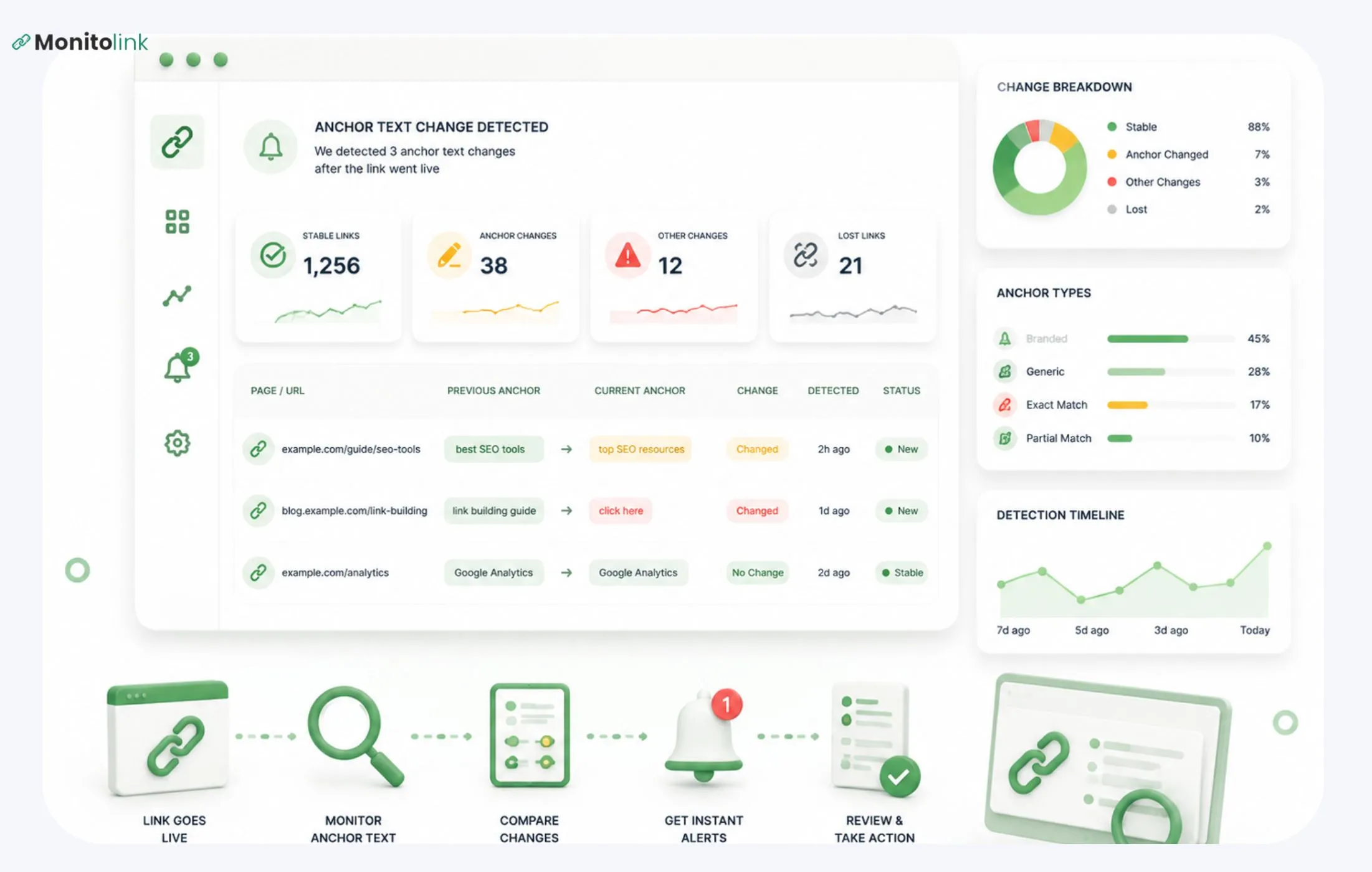
To detect anchor text changes after the link goes live, you just need to record the baseline original version of the anchor text together with the URL and the publishing time. Then recheck it on schedule using backlink monitoring tools, change detection scrapers, or simply doing a manual audit.
In my experience, automated monitoring is the only method that reliably catches edits before they make a long-term impact to hurt your rankings. I'll tell you more details in a little while.
Why Does Anchor Text Change After Publishing?
Not all changes to anchor text mean the site owner is being shady with you. Here are a couple of common things I see pretty often.
First, content refreshes. Someone updates an old article, rewrites a small paragraph, and the anchor gets pulled in from the edit. Sometimes it's intentional, but a lot of the time, it's just collateral damage.
CMS bugs. This happens quite a lot and surprises people every time I bring it up. Platforms like Confluence or InDesign have documented bugs that the anchor text resets or duplicates on its own, with zero human intent behind it. If you're only thinking about malicious changes, you're completely missing this category.
Third, redesigns or CMS migrations. When somebody moves a site, let's say from WordPress to something headless, it tends to strip the custom anchor text and replace it with default link styling or raw page title.
Quiet dilution is another reason. Sometimes a publisher who agreed to publish a specific anchor text waters it down later, changes it to something more generic like "Read more." This happens more on paid and sponsored placements than anywhere else.
Finally, anchor text change is your first sign of link removal. Occasionally, what happens is the editor starts making minor changes to your anchor text before they decide to entirely remove your link. If you're not tracking it, you won't know that you're dealing with this problem. If it's gone, you're no longer dealing with the anchor text problem, but the link recovery problem.
All of those are things you can catch and prevent.
How to Build Baseline Before Anchor Text Detection
You can’t catch a change if you don’t know what you’re comparing it to. Record these:
- The exact anchor text (copy-paste it)
- Full referring URL and destination URL
- Publish date
- The rel attribute (dofollow, nofollow) at the time
For a hundred or more links, a spreadsheet with raw links and the data above is fine, but past that, it stops being manageable pretty fast. It would be a good point to do a proper backlink profile audit, get a dated, structured record of your link portfolio, and start the work from there.
So now, since you know the baseline, I'll show you four methods for checking and identifying anchor text changes.
How to Check Anchor Text Changes in 4 Methods
1. Automated Monitoring (If You Want to Scale)
Automated tools are the best solutions out there. They’ll crawl your referring pages on schedule and flag any changes, including changes to anchor text, destinations, rel attributes, or the link itself disappearing.
Monitolink’s backlink monitoring tool checks link status daily and sends same-day alerts if it notes any changes in your anchor text. Three main features make your work easier:
- Daily checks - any edit gets flagged within a day, so you can outreach and correct it before it has any impact.
- AI backlink profile analysis, including anchor analysis - this feature flags whether the anchors (or changes to anchors) look diluted, generic, or potentially toxic.
- Built-in outreach - if any changes occur and you want to outreach, you do it directly from the dashboard, without going to the email app. It takes a few clicks. You do the same if a link is lost through the built-in link reclamation feature.
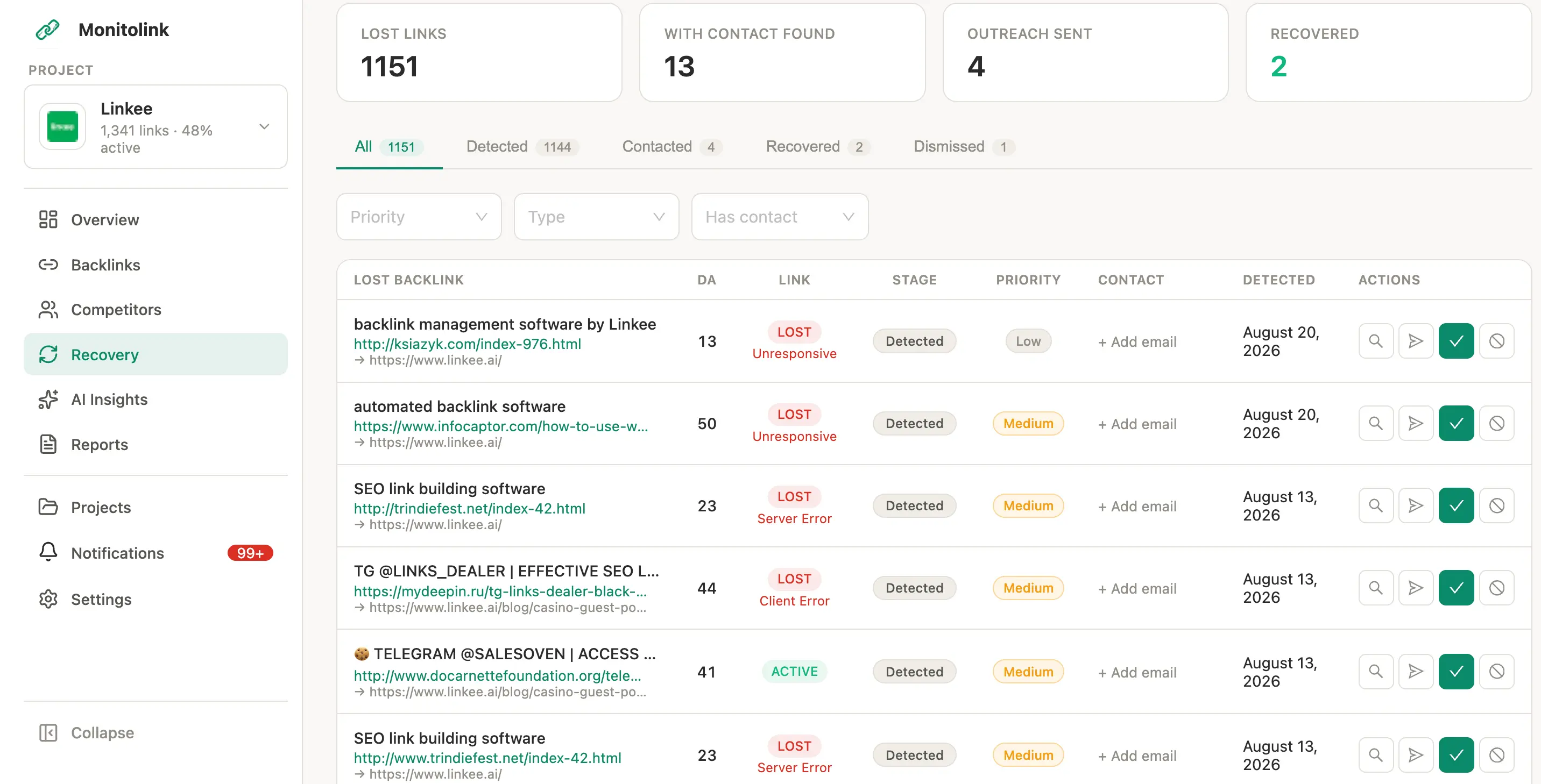
With these features combined, you have your anchor text changes constantly monitored, with built-in outreach mechanisms that save you effort when such changes happen.
You can give it a try for free for 14 days and see how it works for yourself. Almost every time a new user runs it, at least one high-value anchor has already drifted from what they originally secured, and nobody noticed.
If you are already using tools like Ahrefs or SEMrush, you have some backlink monitoring features there as well, with solid databases. The downside with these tools is the speed (they update information weekly) and the lack of ourteach features inside the tool. These are general SEO tools, not specialized for anchor text analysis, so they leave you needing to do more manual work than necessary.
2. Your Own Change-Detection Scraper
If you’re up to a DIY project, you can build a scraper that pulls the <a href> elements from your referring page and diffs it against your saved baseline. This works fine for a small number os links.
Tools like Visualping, ChangeTower, or Wachete will do this for you without you having to write a line of code. So, if you’re comfortable scripting it yourself, this is what it would look like in Python:
import requests
from bs4 import BeautifulSoup
def get_anchor_text(page_url, target_href):
response = requests.get(page_url, timeout=10)
soup = BeautifulSoup(response.text, "html.parser")
link = soup.find("a", href=target_href)
return link.get_text(strip=True) if link else None
# Compare against your saved baseline
current_anchor = get_anchor_text("https://example.com/article", "https://yoursite.com")
baseline_anchor = "your original anchor text"
if current_anchor != baseline_anchor:
print(f"Anchor text changed: '{baseline_anchor}' -> '{current_anchor}'")
You’ll need to run this on schedule (a cron job or a scheduled Cloud Function). This is the really lightweight version of what monitoring tools do, with a small catch - if the page’s HTML structure ver changes, it will break.
3. Manual Audits (For Small Link Count)
So if you're under 50 links, checking manually is fine. Export your list, visit every URL, compare the live version against your baseline, and flag any changes. Doing this monthly is reasonable.
My problem with this is that manual audits get skipped a lot and have quality issues most of the time. When you're busy and it's a really active period, you will not do 50 link manual checks. And if you do, you're probably missing some of the information because your focus is diluted. If that starts to happen, this is a signal to start more automated backlink monitoring solutions.
4. Historical Snapshots (For After-the-Fact Proof)
If you're not actively monitoring anchor tags but sometimes want to know when a specific change happened, the Wayback Machine or Google's cache (where it's still available) can let you pull those historical versions of the page. Even Ahrefs has a feature for this.
This method won't catch anything real-time, but it's useful if you're building a timeline after the fact and disputing the change with the site owner with proof.
Workflow of Catching Anchor Text Changes
To give you a quick summary, this is what you should do:
- Record your baseline
- Set frequency checks
- Run the checks
- Log any discrepancies
- Decide what you do about the anchor text changes
This is the mental workflow you’ll have with any tool, but tools like Monitolink make this simpler by doing steps 1-4 for you, and helping you with step 5 if you need to reach out to the site.
What to Do If You Catch an Anchor Text Change
- Document it with a screenshot or a log from your monitoring tool.
- Check what you agreed to in your email or in your main channel communication with the website. If it was paid placements or something you negotiated, you will have the original terms saved there.
- Decide if it’s worth an outreach (and if so, what type of outreach). Not every change is worth your time. If a branded anchor was swapped with a slightly different branded phrase, it probably isn’t. But if it’s changed to “click here,” probably is.
- Reach out to the website with specifics on what change, with proof. You can use our tested outreach templates for any link-building situation.
- What for the changes to come. An edited anchor may be a signal that the link will be removed in the future. So, keep an eye on even ones you decide not to outreach for.
Frequently Asked Questions
Is It Normal for Anchor Text to Change After Publishing?
It is pretty often the case. When someone from your target site updates their content or redesigns it, you might see the changes happen. Sometimes even CMS bugs cause this, so the website owner might have had zero intent in changing it.
Does an Edited Anchor Text Hurt My SEO?
It depends on what type of anchor text change happened - if it’s from branded to generic anchors, yes; if it’s from branded to compounded types, not really.
Can I Detect Anchor Text Changes for Free?
You can detect anchor text changes for free with a manual audit or by creating your own scraper, like the Python example above. The time you spend is high, and the reliability is pretty low in both cases, but it’s a proper place to start.