
Most teams run a backlink audit only after a ranking drop. They export a CSV, flag a few spammy domains, submit a disavow file, and move on. That's not a backlink profile audit, but damage control.
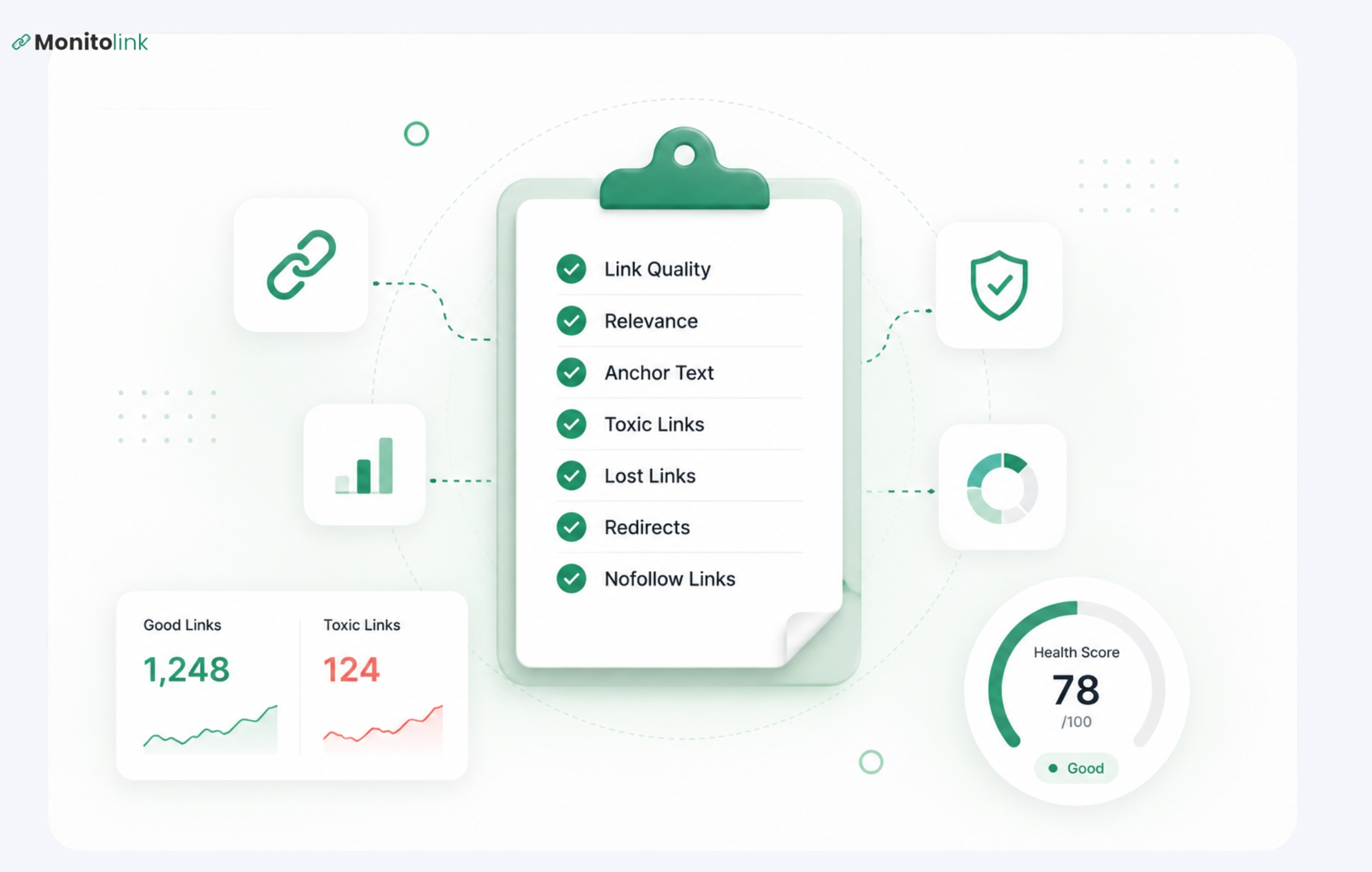
A real backlink profile audit gives you three things: a clean link profile, a recovery system for links you're quietly losing, and a monitoring baseline so you can spot problems before they compound. This guide covers the full 7-step process, including the steps most teams skip entirely.
What Is a Backlink Profile Audit?
A backlink audit is an analysis of all the links leading to your website (their nature and value) and what needs to be done about them.
You will need to focus on factors like the quality and relevancy of those links, their anchor texts, and how fast your backlinks are growing, which will help you eliminate any threats.
The term “audit” suggests that you have to examine everything at once; however, this approach is flawed. The audit is just the initial stage; its results should be implemented after that.
Why Backlink Audits Matter for SEO Rankings
There are two reasons to run a backlink profile audit: defensive and offensive.
Defensive: Google's link spam updates have gotten sharper. You don't need to have actively built spammy links to be affected. Passive link profiles (where nobody's monitoring what points to your domain) accumulate junk over time. Negative SEO attacks are also more common than most teams expect: a competitor purchases toxic links pointed at your domain, and your rankings erode before you even notice.
Offensive: Your existing link profile is a map of acquisition opportunities you haven't tapped yet. Lost links you can reclaim, referring domains that could link to more of your pages, content types that attract links organically. None of that surfaces unless you audit.
What You Need Before You Start Backlink Profile Audit
Before running the audit, get three things in order:
- Tool access. You need Google Search Console verified, plus at least one paid tool (Monitolink, Ahrefs, or Semrush). Ideally both.
- A starting benchmark. Note your current DR/DA (domain rating/authority) and total referring domains, and record the dofollow/nofollow ratio before you touch anything. You need a before-state to measure against.
- Scope clarity. A full audit (quarterly), a post-penalty audit, and a pre-migration audit are different exercises. Know which one you're running. A post-penalty audit goes deeper into toxic patterns; a pre-migration audit focuses on redirect mapping to preserve link equity.
Now, let’s jump to our backlink profile audit steps.
The 7-Step Backlink Profile Audit Process
Step 1: Pull Backlink Data From Multiple Sources, Not One Tool
This is where most audits start weak. Teams export data from Ahrefs or Semrush and treat it as their complete link profile. It isn't.
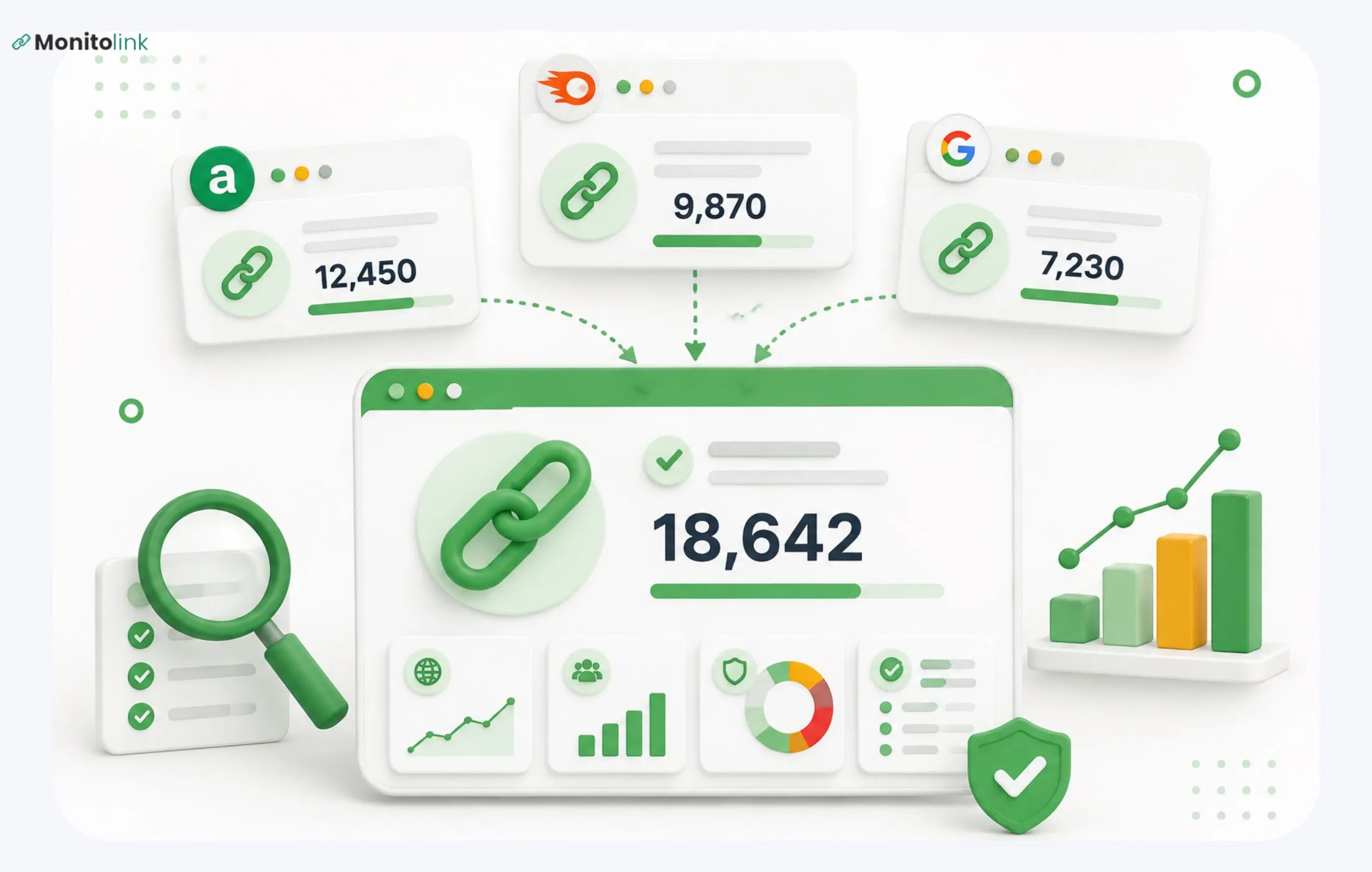
GSC, Ahrefs, and Semrush each crawl different parts of the web. In practice, 15-30% of links appear in only one source. If you're auditing from a single tool, you have an incomplete picture before you've made a single decision.
What to do instead: Export backlink data from all three sources (if possible, considering that Ahrefs and Semrush are paid tools). Combine them in a spreadsheet and deduplicate by referring domain. Your master sheet should capture, per row:
- referring domain,
- linking URL,
- target URL,
- anchor text,
- DR/DA,
- dofollow/nofollow, and
- first-seen date.
You’ll use the first-seen date in Step 6 when you baseline your velocity.
If you're managing multiple clients or a large portfolio, this consolidation step becomes the main time sink. So, using tools like Monitolink’s backlink monitoring platform can make sense, since they let you get backlink data just by providing your domain name and website URL.
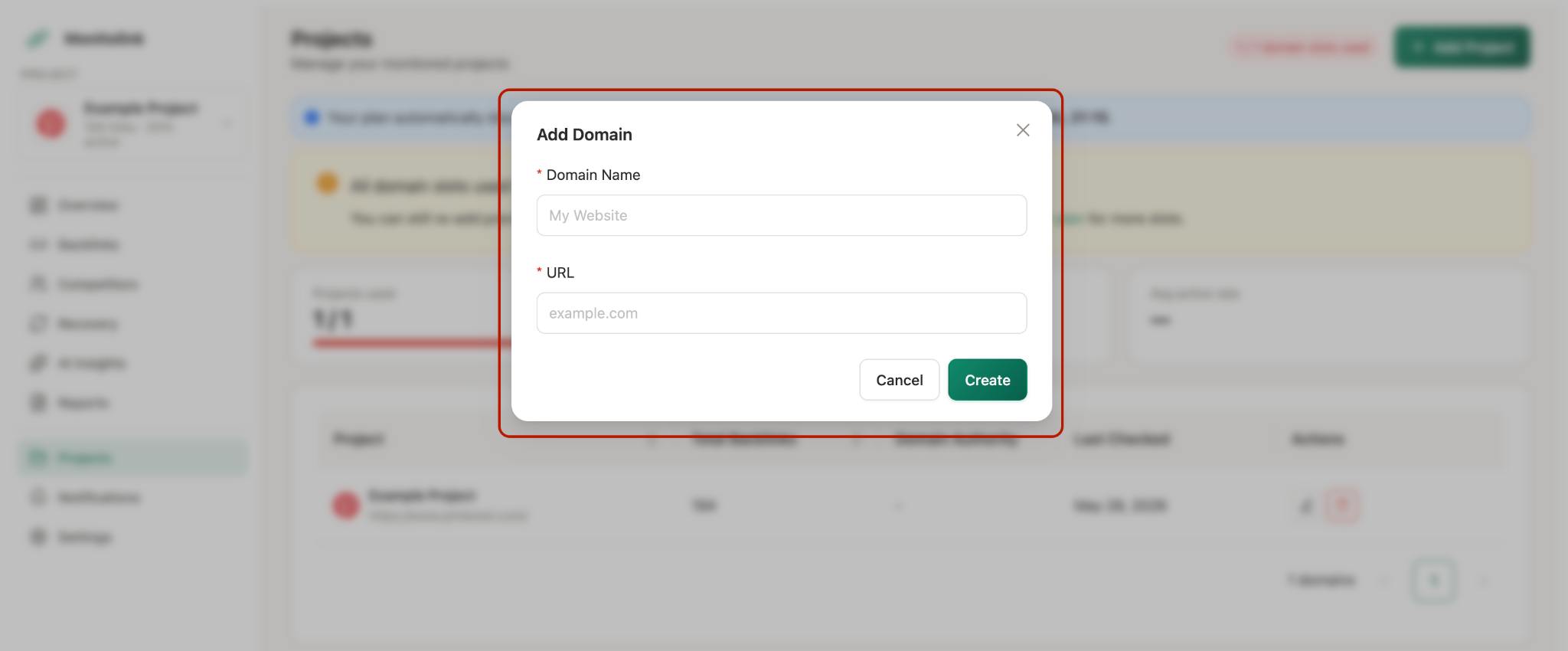
Of course, you can also bulk-import the data via CSV from Ahrefs, Semrush, and GSC into a single dashboard (if you have those tools), so you're not doing manual deduplication across spreadsheets every quarter.
Step 2: Verify Index Status on Every Referring Page
A link on a deindexed page passes zero value. Google isn't crawling it. It doesn't exist from a ranking perspective. But it still shows up in your backlink tools as a live link, inflating your referring domain count and distorting your quality assessment.
What to do: Run your linking URLs through a bulk index checker. Screaming Frog with Google index status integration works, or the GSC URL Inspection API if you're comfortable with that. Flag deindexed pages in your master sheet.
These aren't necessarily toxic - the page may have been removed for legitimate reasons. But they're dead weight, and counting them as part of your active link profile leads to false confidence.
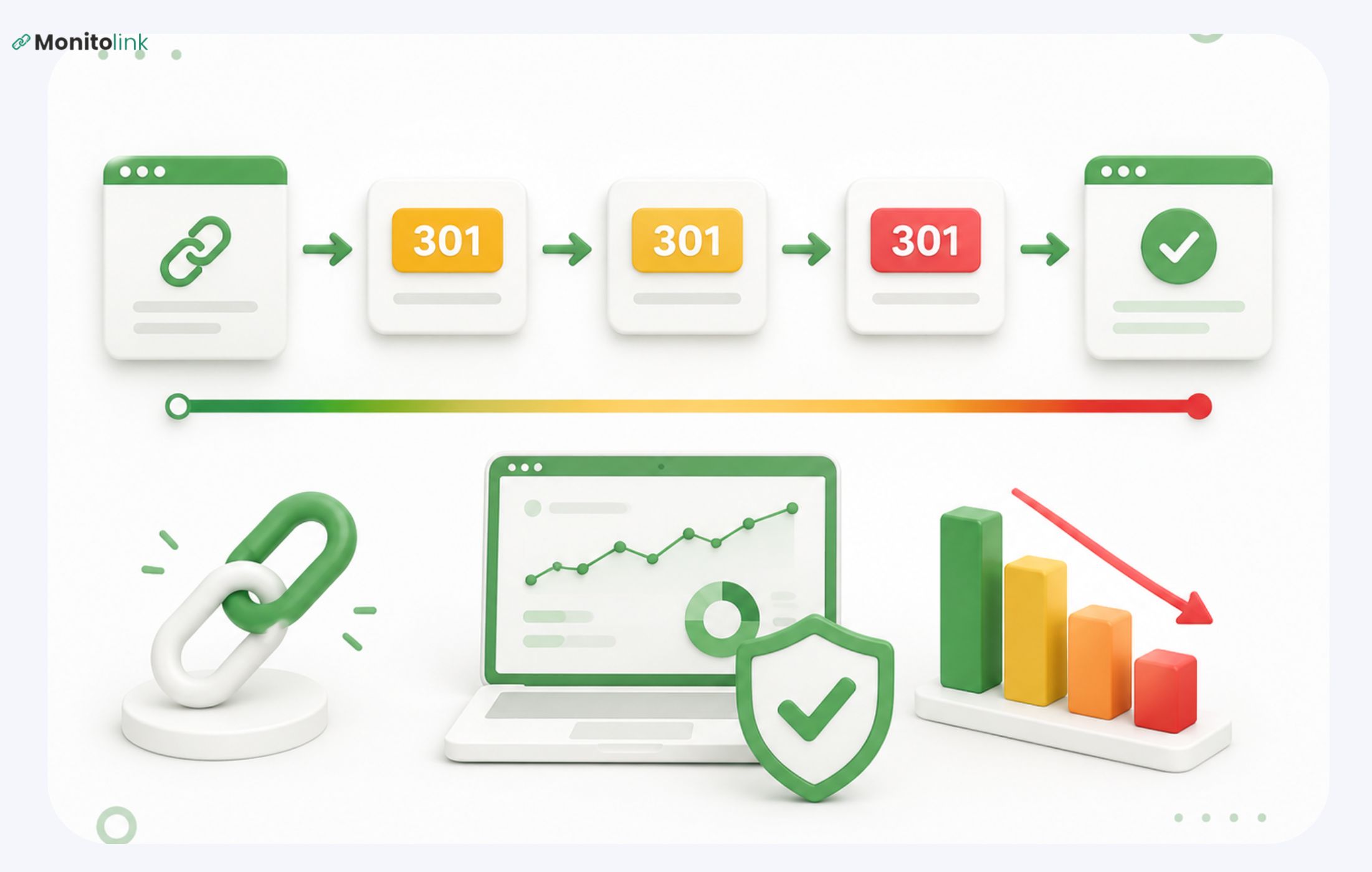
While you're at it: check for redirected linking pages. A link pointing to a page that now 301-redirects to a completely different topic still passes some equity, but the equity is degraded and worth flagging.
Step 3: Baseline Anchor Text Against Specific Ratio Thresholds
Most guides will tell you to "check your anchor text distribution and make sure it looks natural." That's useless without a benchmark, so here are the concrete ratios to use:
Red flags to act on:
- Exact-match exceeds 15%: penalty risk increases substantially here. This is where manual actions tend to originate.
- Branded under 30%: often signals historical link-scheme activity, even if the links themselves look clean.
- One anchor variant dominates from multiple referring domains: this is anchor flooding, and it's a pattern signal even if no individual link looks toxic.
Pull your anchor text report and run it against these thresholds. Anything outside the ranges above gets flagged for investigation in Step 4.
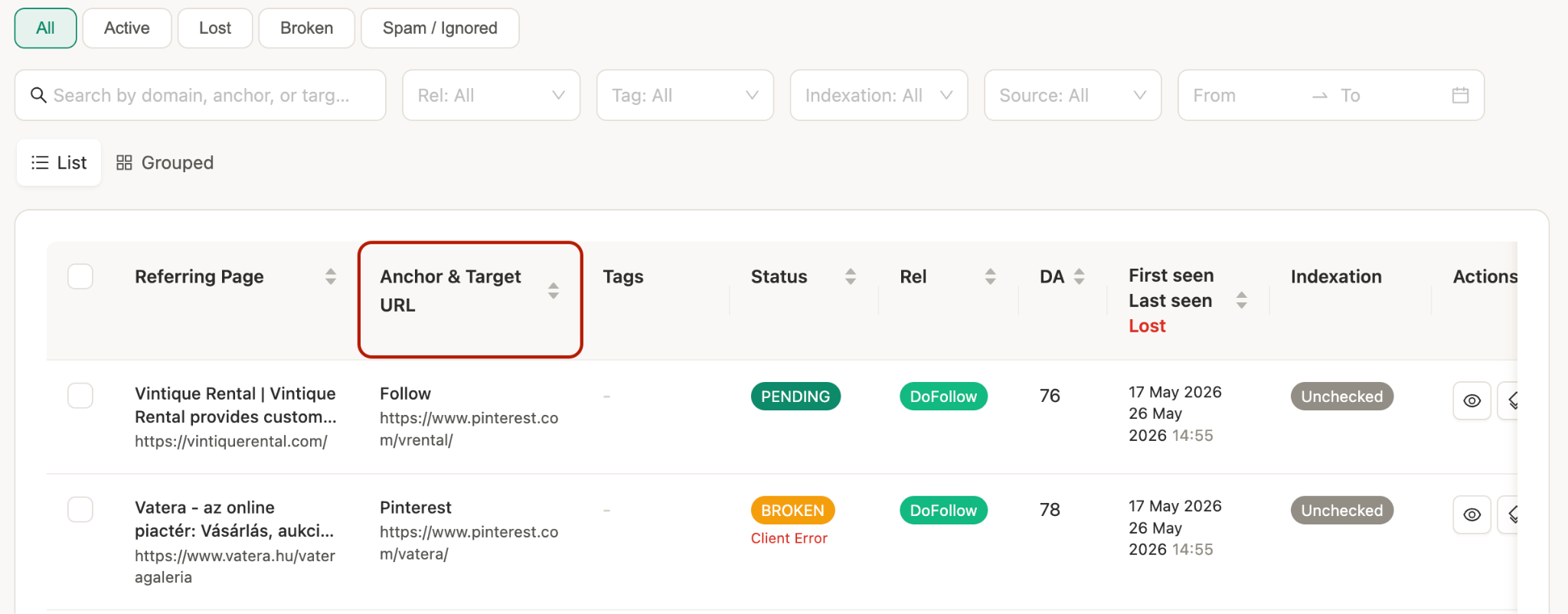
Some tools, like Monitolink, will let you see the anchor and the URL next to each other for easier filtering:
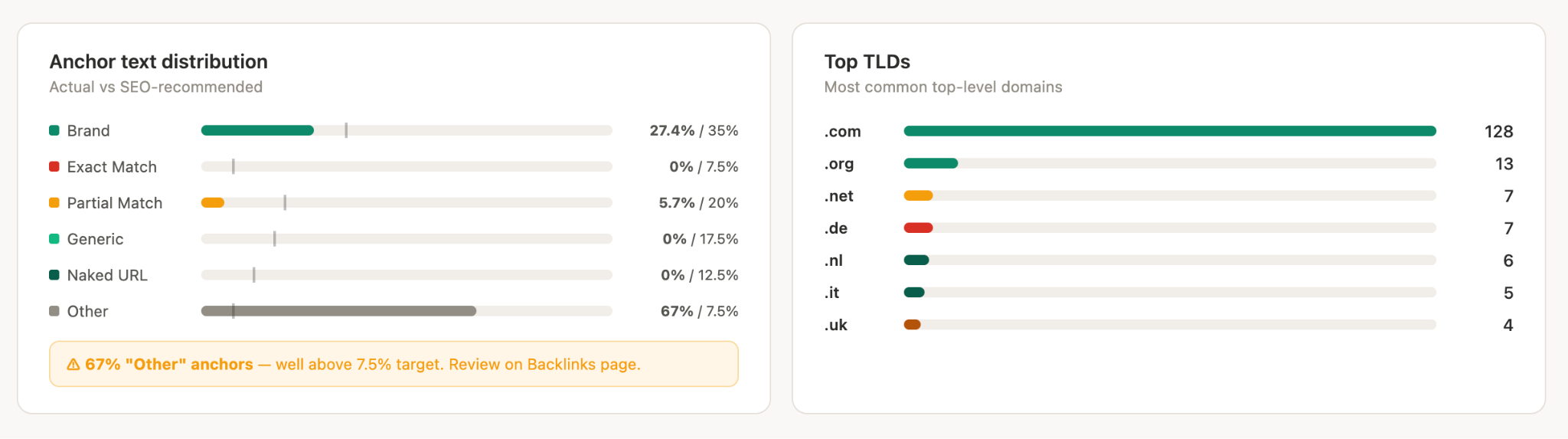
And for an overview and larger strategy planning, you can even see the distribution already analyzed for you on your overview dashboard:
Step 4: Identify Toxic Patterns, Not Just Toxic Links
Toxic backlink audits usually focus on individual links: this domain has a spam score of 78, disavow it. That's the right tactical move, but it misses what Google really evaluates - patterns across your profile over time.
Three patterns to look for:
- Anchor floods. A single anchor text or a tight cluster of similar anchors appearing across many referring domains in a short window. Even if the domains look clean individually, the coordinated pattern is what triggers algorithmic scrutiny.
- Velocity spikes. Sort your link data by first-seen date. A sudden acquisition of 50-200+ links within a 2-4-week window, outside of a known campaign or PR event, is a red flag. It could be a negative SEO attack, an old link scheme resurfacing, or links from a sitewide placement on a large domain. All three need different responses.
- PBN footprints. Look for clusters of referring domains that share: IP ranges in the same C-class subnet, identical or near-identical site structures, thin or scraped content, and near-zero organic traffic. Pull IP data from your audit tool and look for concentration. Ten links from ten different domains that all resolve to the same /24 IP block is a network, not a diverse profile.
When you've identified toxic links, request manual removal first; disavow as a last resort. Google's own guidance is to use the disavow tool only when you've already attempted removal. Document every outreach attempt in case you need to support a reconsideration request.
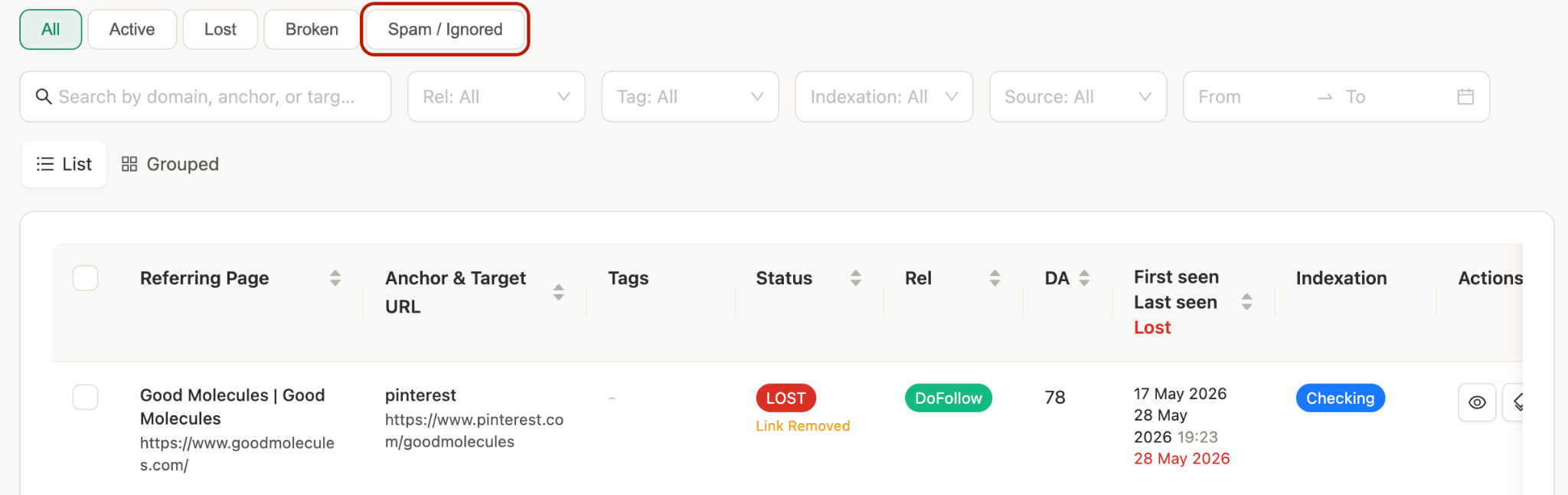
On Monitolink, you can do this using the “Spam/Ignored” filter to get an already filtered list, which you can later check:
Step 5: Enrich Recoverable Links With Contact Info Before They Drop
Link reclamation has the highest conversion rate of any link-building activity - typically 3-5× higher than cold outreach. The problem is that most teams only look at lost links after they're gone, then scramble to find contact information for sites they no longer have a relationship with.
To fix this, identify at-risk backlinks during the audit before they go dead. Look for:
- Linking pages with declining traffic over the past 6 months
- Pages that have been significantly restructured or updated
- Domains approaching expiry (bulk WHOIS checks can catch this)
- Links pointing to pages on your site that now 404 or redirect to unrelated content
For every recoverable link (at-risk or already lost), capture the webmaster contact before you need it. Build a recovery queue: a live doc or dashboard with the referring domain, linking URL, target URL, anchor, contact email, and outreach status.
This contact-finding step can really make a difference in your backlink profile audit - you don’t want to passible document losses; it should help you recover fast.
That’s why tools like Monitolink have a one-click contact extraction built into its lost link recovery tab - you select a lost link from your dashboard, and it pulls the webmaster email, then lets you send a templated outreach email without leaving the tool.

For teams managing large link portfolios, that kind of workflow matters because manual contact hunting at scale just doesn't happen.
Step 6: Baseline Your Link Velocity to Detect Future Anomalies
This step is what turns a one-time audit into a functioning monitoring system. Without a velocity baseline, you can't tell the difference between normal growth and an anomaly worth investigating.
What to do: Calculate your average monthly referring domain acquisition rate over the past 12 months. Also note your average monthly link loss rate (domains that stopped linking). Document both numbers and the date you recorded them.
Then set your alert thresholds:
- Spike alert: new referring domains increase more than 40% above your monthly average in any 2-week window → investigate for negative SEO or unnatural scheme
- Drop alert: referring domains decrease more than 25% month-over-month → check for mass removal, domain expiry, or algorithmic signal
These thresholds aren't universal. So, calibrate them to your site's typical growth pace. A site that regularly earns 50 new domains a month has a different baseline than one that earns 5.
The point is that without this baseline, you're always reacting after the fact. With it, you catch problems in days rather than after the next quarterly audit.
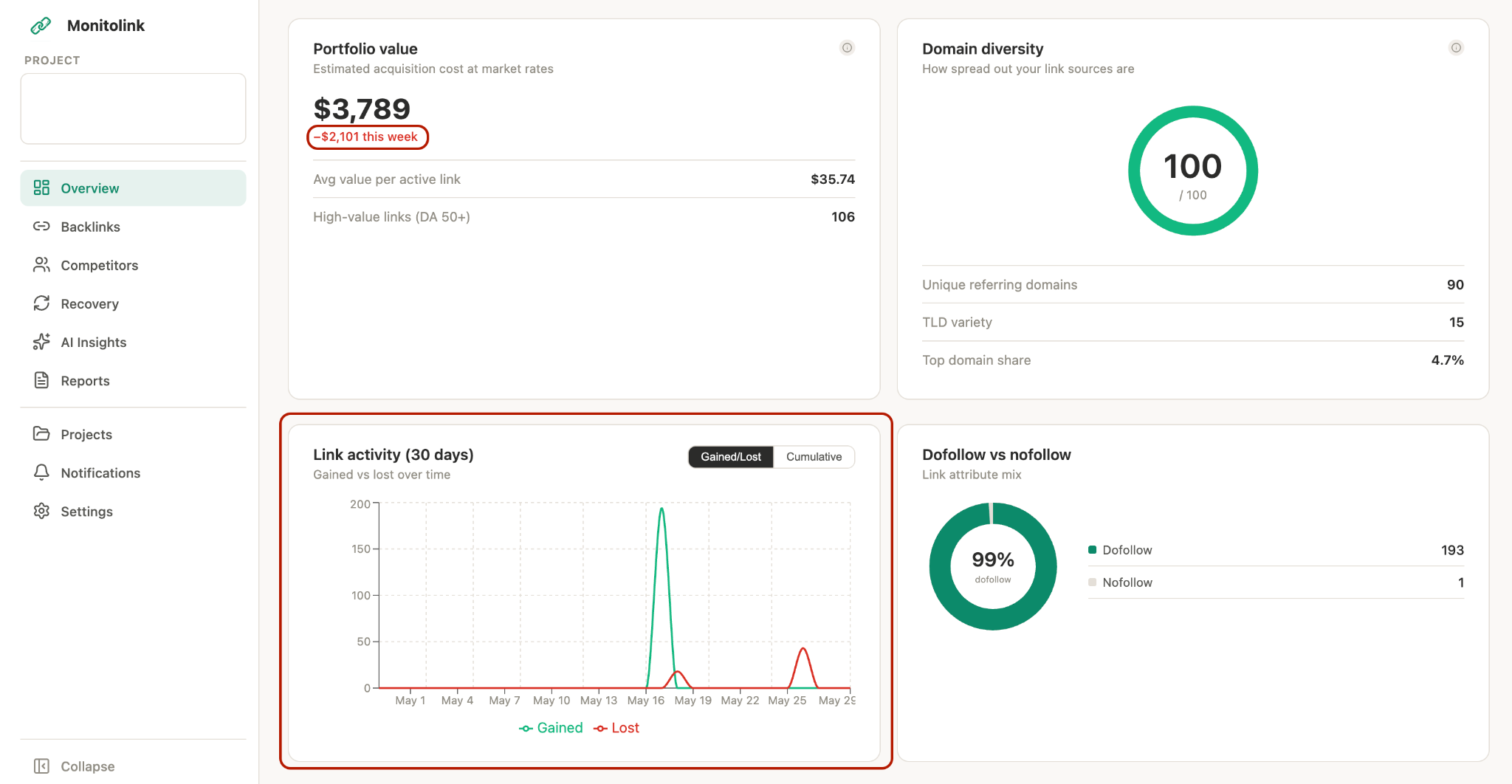
And when using backlink monitoring tools, like Monitolink, that do your backlink profile audit constantly, you will be able to see your monthly and weekly link losses (as well as their monetary value) on a single dashboard.
Step 7: Set Up the Monitoring System (Not a Quarterly Report)
Finally, this is the step that makes everything else stick. The audit surfaces your current state, but the monitoring system protects it going forward.
Four things to configure before you close the audit:
1. Alerts
Set up new and lost link alerts and make sure they run at least once a week.
Most teams handle this with Ahrefs or Semrush, which works fine, but keep in mind those tools only refresh their backlink indexes weekly or biweekly. A link that disappears on Monday might not show up in your alert until Friday or later.
If timing matters to you, tools built specifically for link monitoring (like Monitolink) check status around the clock and fire alerts the same day. That's useful when you want to reach out to a site owner while the removal is still fresh in their mind.
2. Cadence
Full audit quarterly. Mini-audit (new links, anchor drift check, velocity review) monthly. Don't wait for a ranking drop to look at your link profile.
3. Ownership
Who owns the disavow file? Who manages the outreach queue? Who's responsible for the monthly mini-audit? If it's undefined, it won't happen. Put names next to tasks.
4. Reporting baseline
Log your DR, total referring domains, dofollow ratio, and anchor distribution at the close of each audit. Quarter-over-quarter trajectory is more useful than any single snapshot.
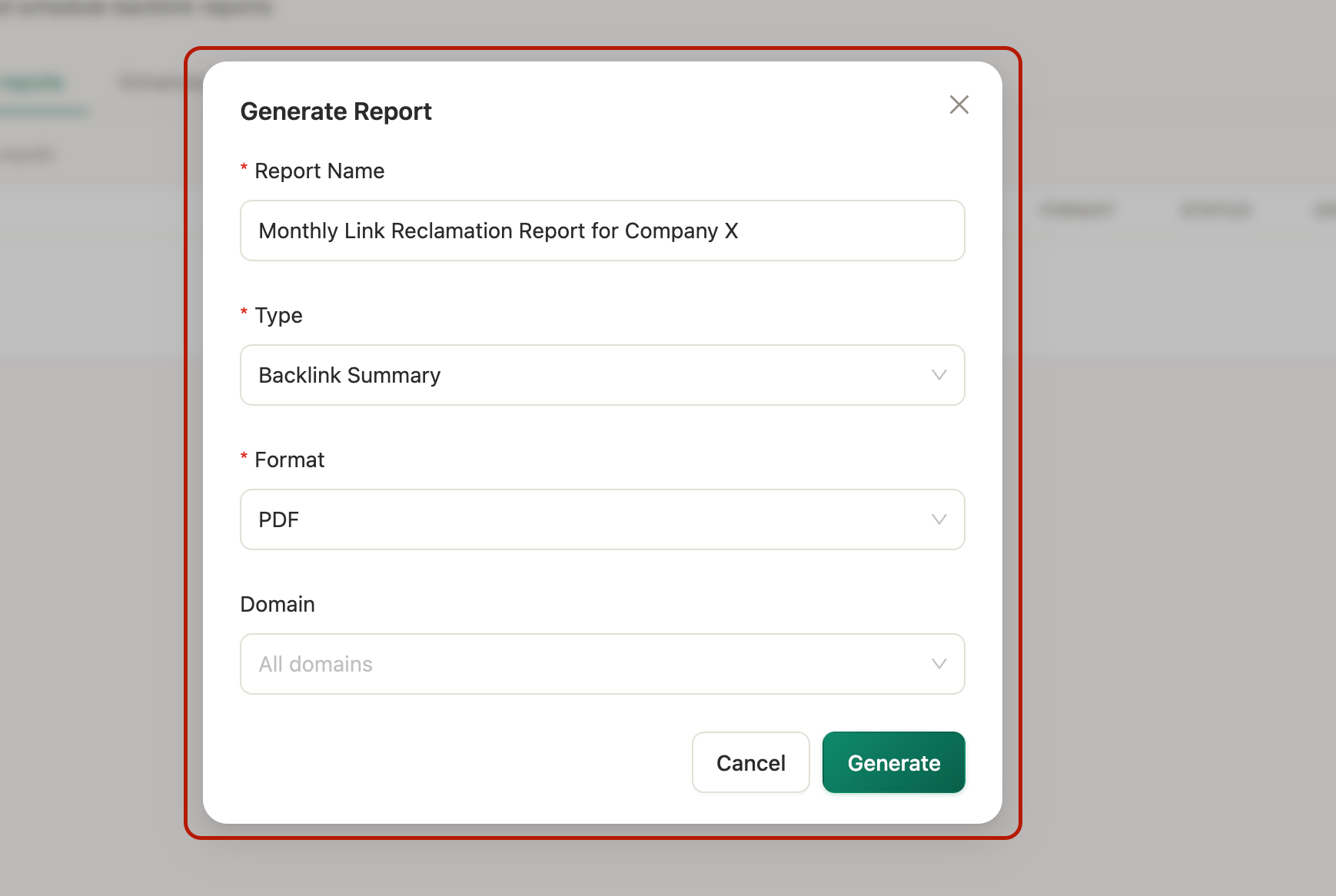
If you're running a reporting workflow for clients or stakeholders, Monitolink's white-label PDF reports pull active, lost, and recovered links into a client-ready format without manual assembly; that's a non-trivial time save if you're doing this across multiple projects.
And just like this, you have a backlink profile audit in place, together with strong monitoring and recovery.
Backlink Profile Audit Checklist
I have also prepared a step-by-step checklist that you can copy and use in real time when performing each step we discussed:
Pre-audit
- GSC access verified
- Ahrefs and/or Semrush access confirmed
- Current DR/DA, referring domains, and dofollow ratio documented
- Audit scope defined (full / post-penalty / pre-migration)
Step 1 - Data collection
- Backlinks exported from GSC
- Backlinks exported from Ahrefs
- Backlinks exported from Semrush
- All three sources merged and deduplicated by referring domain
- Master sheet includes: referring domain, linking URL, target URL, anchor, DR/DA, follow type, first-seen date
Step 2 - Index verification
- Linking URLs checked for index status
- Deindexed pages flagged in master sheet
- Redirected linking pages flagged
Step 3 - Anchor text analysis
- Anchor text distribution pulled and categorized
- Ratios benchmarked against thresholds (branded 40–60%, exact-match under 10%, naked URLs 15–25%)
- Over-optimized anchors flagged
Step 4 - Toxic pattern identification
- Individual toxic links flagged via spam/toxicity scores
- Anchor flood patterns checked
- Velocity spikes investigated
- PBN footprints checked (IP clustering, thin content, zero-traffic domains)
- Manual removal requests drafted for confirmed toxic links
- Disavow file updated (last resort only)
Step 5 - Link recovery setup
- At-risk links identified (declining traffic pages, restructured pages)
- Lost links reviewed for reclamation potential
- Webmaster contact info captured for recoverable links
- Recovery outreach queue built
Step 6 - Velocity baseline
- Average monthly referring domain acquisition rate calculated (12-month window)
- Average monthly referring domain loss rate calculated
- Alert thresholds defined (spike: +40% above average; drop: -25% MoM)
Step 7 - Monitoring setup
- Link alerts configured (new + lost)
- Audit cadence defined (full quarterly, mini monthly)
- Ownership assigned for monitoring, outreach, and disavow
- Reporting baseline logged
The Bottom Line
A backlink profile audit shouldn’t be a quarterly checkbox. The audit is what you do once so the monitoring system can run continuously.
Get your data from multiple sources, verify what's indexed, check your anchors against real thresholds, look for patterns not just individual links, build your recovery queue before links go cold, baseline your velocity, and set up alerts with clear ownership.
If you don’t want to build this system from the ground up, sign up for Monitolink’s 14-day free trial and test an already set-up backlink monitoring and recovery system for your website.
FAQ
How long does a backlink audit take?
For a small site (under 500 referring domains), a thorough audit takes 3-6 hours. For mid-size sites (500-5,000 referring domains), budget 1-2 days. Enterprise-scale profiles can take a week or more, especially if the cleanup of toxic links is significant. That’s why using tools like Monitolink makes sense more as your size grows.
How often should I do a backlink audit?
A full audit could be done quarterly. A mini-audit (velocity check, anchor drift, new/lost links review) needs to be done monthly. But, if you want minimal losses and no surprises every month or quarter, constant backlink monitoring is the best way.
What does a deep backlink profile audit include?
Beyond counting links and flagging spam: index status verification on referring pages, anchor text ratio analysis against specific benchmarks, pattern-level toxic link detection (anchor floods, velocity spikes, PBN footprints), link recovery queue setup with pre-collected contact info, velocity baselining, and a configured monitoring system with defined ownership and alert thresholds.
What's the difference between a toxic link and a low-quality link?
A low-quality link comes from a low-authority site. It doesn't do much for you, but it doesn't actively harm you either. A toxic link comes from a source that signals spam to Google - link farms, PBNs, scraped content sites, domains with unrelated or adult content, or links acquired through schemes that violate Google's guidelines. Toxic links can trigger algorithmic filters or manual actions. Low-quality links are mostly just noise.
When should I use the Google Disavow Link tool?
After you've already attempted manual removal and been ignored or rejected. Google is explicit about this: disavow is a last resort. Keep a log of every outreach attempt, so you have documentation if you ever submit a reconsideration request. Disavowing links you haven't tried to remove manually is a waste of effort if the site owner would have simply removed them on request.